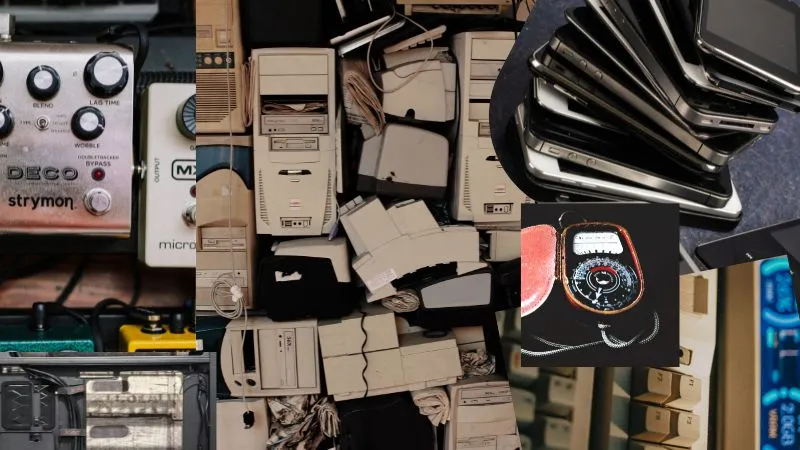
We use electronic devices every day—from smartphones and laptops to televisions, refrigerators, chargers, batteries, and electric appliances. But what happens when these products stop working or we simply no longer need them?
They become electronic waste, or e-waste.
E-waste should not always be treated like ordinary household garbage. Many electronic products contain valuable materials that can be recovered and reused, while some components require special handling to protect people and the environment.
The good news is that recycling e-waste does not have to be complicated.
This guide explains the common types of e-waste, what you should do with each one, what to do before recycling, and how to choose the right recycling option.
E-waste is unwanted or discarded electrical and electronic equipment and its components.
A simple way to think about it is:
If a product needs electricity, a plug, a cable, or a battery to work and you no longer need it, it may be e-waste.
Common examples include:
Electronic products contain a mixture of materials. Some can be recovered and used again, including metals, plastics, glass, and other components.
At the same time, certain electronics and batteries can create environmental and safety problems if they are handled incorrectly.
Proper recycling can help:
Recycling is only one part of the solution, however. If a device still works, reuse, repair, donation, or refurbishment should usually be considered before recycling.
Before sending an electronic item for recycling, ask:
Can I still use it?
If yes, consider:
Reuse → Repair → Donate/Sell → Refurbish → Recycle
For example, an old laptop that still works may be useful to another person. A phone with a damaged battery may be repairable. A working television may be donated instead of discarded.
Recycling is especially important when an item is broken, obsolete, unsafe, or no longer practical to repair or reuse.
Examples include:
Before recycling:
Then consider a manufacturer take-back program, retailer collection program, authorized e-waste recycler, or another appropriate collection service.
If the device still works, selling, donating, or giving it to someone else may be a better option.
Do not throw phones or their batteries into ordinary household waste.
Computers contain a variety of recoverable materials and may also contain sensitive personal or business information.
Examples include:
Before handing over a computer:
Working computers can be donated, sold, or refurbished.
For devices that are no longer usable, use an authorized e-waste recycler or an appropriate manufacturer/collection program.
For businesses, data destruction should be treated as a separate priority from physical recycling. Professional recyclers may offer data erasure or physical destruction services.
Examples include:
Do not leave old televisions or electronic equipment with ordinary household waste unless local rules specifically permit it.
Instead:
Large displays and older televisions should be handled carefully because their components can be damaged during transportation or dismantling.
Examples include:
First, check whether the printer or office equipment can be repaired, reused, or refurbished.
If it cannot:
Businesses with large quantities of equipment should consider a formal IT asset disposition process rather than disposing of equipment individually.
Batteries deserve special attention because they can create fire and safety risks when handled incorrectly.
Examples include:
A swollen, leaking, smoking, or visibly damaged battery requires extra caution. Follow local emergency and waste-management guidance rather than placing it into a normal recycling bin.
These small items are often forgotten when people think about e-waste.
Examples include:
If the charger or cable works and is compatible with another device, consider reusing it.
If it is damaged or no longer useful, take it to an e-waste collection point or authorized recycler that accepts cables and accessories.
Do not burn cables to recover the metal. Burning electronic cables can release harmful substances and is not a safe recycling method.
Large appliances are also part of the electronic and electrical waste stream.
Examples include:
These products should generally be handled by trained professionals because some cooling equipment contains refrigerants and other components requiring controlled handling.
The safest options are:
Do not dismantle refrigeration or air-conditioning equipment yourself.
Examples include:
First check whether the appliance can be repaired or reused.
For unwanted appliances:
Do not leave large appliances in unauthorized dumping areas.
Many everyday household products can become e-waste when they reach the end of their useful life.
Examples include:
If the item still works, consider repairing, donating, or reusing it.
If it no longer works:
Because collection rules differ by location, check what your local recycling service accepts.
Modern electronics are creating new categories of small e-waste.
Examples include:
These devices often contain small batteries and electronic components.
Before recycling:
Use a suitable electronics recycling program rather than putting small electronic devices into general waste.
Examples include:
Check whether batteries can be safely removed.
If they can:
Working toys can also be donated or passed on to another family.
Some e-waste comes from places other than homes.
Examples include:
These products can contain sensitive information, specialized components, or materials requiring professional handling.
Businesses and institutions should work with appropriate authorized recyclers or specialist asset-disposition providers.
The process may include:
Before handing over any electronic product, use this checklist.
Save important photos, documents, contacts, and other information.
Sign out of accounts and reset phones, tablets, and other smart devices.
For computers and business equipment, use an appropriate secure data-erasure process.
These can contain personal information and should not be left inside the device.
Find out whether the product contains a removable battery and whether it requires separate recycling.
Do not treat swollen, leaking, or visibly damaged batteries like ordinary e-waste.
Professional recyclers have the equipment and processes needed to safely dismantle and process electronic products.
The right recycling option depends on the product and your location.
Common options include:
When choosing a recycler, look for evidence that the company is properly authorized or registered under the applicable local requirements.
For example, in India, the Central Pollution Control Board states that consumers should channelize e-waste through authorized collection centers, registered dismantlers/recyclers engaged by producers, or producer take-back services.
Recycling does not simply mean throwing an electronic product into another bin.
A professional recycling process can include several stages:
Collection → Sorting → Data Handling → Dismantling → Material Separation → Recovery → Recycling
During processing, different materials and components can be separated.
For example:
The exact process depends on the type of equipment.
Authorized recycling facilities are designed to handle these materials safely and responsibly. CPCB guidance, for example, calls for appropriate handling of items such as displays, refrigerators, air conditioners and mercury-containing lamps, and also addresses permanent deletion or destruction of data stored on end-of-life devices.
Proper recycling protects both people and the environment.
A simple decision process can help:
Yes → Can you continue using it?
Yes → Keep using it.
No → Can it be repaired?
Yes → Repair it.
No → Can someone else use it?
Yes → Donate, sell, or give it away.
No → Recycle it through an appropriate e-waste channel.
This approach keeps products and materials in use for as long as possible.
| E-Waste | What to Do |
|---|---|
| Mobile phone | Reset, remove SIM, reuse or recycle |
| Tablet | Reset, remove personal data, reuse or recycle |
| Laptop | Back up and securely erase data, then recycle |
| Desktop computer | Remove data and use an authorized recycler |
| TV | Use an e-waste collection/recycling service |
| Charger | Reuse if working; otherwise recycle |
| Cables | Reuse or send to an e-waste recycler |
| Batteries | Use a dedicated battery collection point |
| Power bank | Handle as battery-containing e-waste |
| Refrigerator | Use an authorized appliance recycler |
| Air conditioner | Use professional recycling/collection |
| Washing machine | Repair, reuse, or use appliance recycling |
| Electric toy | Remove battery if safely possible and recycle |
| Smartwatch | Reset and use an electronics recycling program |
| Wireless earbuds | Reset and recycle through an appropriate program |
| Printer | Remove data and recycle or refurbish |
Businesses can generate much larger quantities of e-waste than households, including laptops, desktops, servers, networking equipment, monitors, phones, printers, and other electronic assets.
For businesses, recycling is only one part of responsible electronic asset management.
A good process may include:
This can help businesses recover value from old equipment while reducing environmental impact.
Before handing over your electronics, ask:
A low price should not be the only consideration. Responsible handling matters just as much as convenience.
Not necessarily. An electronic product that is still being used is not waste. It generally becomes e-waste when it is discarded because it is unwanted, broken, obsolete, or no longer useful.
Generally, you should not assume that household recycling bins accept electronics. Check your local recycling rules and use an appropriate e-waste collection program.
Yes. Chargers and cables can generally be handled through suitable e-waste recycling programs. If they still work, reuse is another option.
If it works, consider keeping it, selling it, donating it, or trading it in. If you are recycling it, back up your data, sign out of accounts, factory reset the device, and remove SIM and memory cards.
Do not puncture, crush, open, or place it in ordinary household waste. Keep it away from heat and follow local guidance for damaged battery collection and disposal.
You should not hand over a laptop containing personal or confidential information without first taking appropriate data-security measures. Securely erase the storage or use a professional service that provides verified data destruction.
They can be sorted, dismantled, and processed to recover useful materials and components. The exact process depends on the type of electronic equipment and the recycling facility.
If an electronic product is safe and still useful, extending its life through reuse, donation, repair, or refurbishment can be preferable to recycling it immediately.
E-waste is a growing part of modern life, but responsible disposal does not have to be difficult.
The easiest rule to remember is:
Reuse it if you can. Repair it if possible. Recycle it when it has reached the end of its useful life.
Before recycling, protect your personal data, pay special attention to batteries, and choose an appropriate collection or recycling channel.
Whether you are getting rid of one old phone or managing hundreds of business computers, responsible e-waste recycling helps keep useful materials in circulation and reduces the environmental impact of discarded electronics.