
Starting a business online has never been easier, but turning an idea into a successful business takes more than just creating a website. Whether you want to launch an online store, sell digital products, offer services, or build a business around your passion, the internet gives you the opportunity to reach customers without investing heavily in a physical location.
But where should you start, and how do you turn your idea into a business that actually makes money?
In this guide, we’ll walk you through how to start a small business online, from choosing the right business idea and understanding your target audience to building your online presence, attracting customers, and generating your first sales. You’ll also learn practical steps to start with a limited budget and grow your business over time.
8 Steps to Start an Online Business
Here is the short version. Each step is explained in detail below.
- Pick a niche and business idea. Match a real customer problem to your skills and budget.
- Research the market and your products. Confirm demand, competitors and pricing before you spend money.
- Define your target audience. Write down who buys, why, and where they spend time online.
- Source your products or services. Choose between making, buying wholesale, dropshipping or selling digital goods.
- Build your brand. Choose a name, domain, logo and voice that customers remember.
- Register the business and handle legal basics. Pick a structure, get tax IDs, and publish required policies.
- Set up your website and e-commerce platform. Add products, payments, shipping and analytics.
- Market, convert and grow. Use SEO, content, email and social proof to bring in and keep customers.
Reasons You Should Start an Online Business
An online business lets you reach customers anywhere with lower fixed costs than a physical shop. The main reasons people start one:
- Low startup costs. No lease, no shopfront fit-out, and you can begin with a single product or service.
- Global reach. A website sells around the clock, to customers in other cities and countries.
- Flexibility. You can run it part-time alongside a job, then scale up as revenue grows.
- Scalability. Digital products and automated fulfilment let income grow without a matching rise in hours.
- Data you can act on. Analytics show what visitors view, click and buy, so decisions rest on evidence.
- Easy to test. You can validate an idea with a landing page or small first order before committing.
How to Choose the Right Online Business Idea and Niche

The right idea sits where your skills, a real customer problem and healthy margins overlap. A niche is a narrow slice of a market, such as “ergonomic desk gear for remote workers” rather than “office products”. Narrow niches are easier to rank for in search, easier to market to and less crowded.
To pick one, answer these questions:
- What problems do you, or people you know, already solve or struggle with?
- Which skills, interests or insider knowledge give you an edge?
- Do people already search for and pay for solutions in this area?
- Can you earn a healthy margin after product, shipping, fees and ads?
- Would you stay interested in this topic for at least two years?
Common online business models to compare:
| Model | Best for | Upfront cost | Main risk |
|---|---|---|---|
| Physical products (own brand) | Makers and brand builders | Medium to high | Inventory and cash tied up |
| Dropshipping | Testing ideas fast | Low | Thin margins, supplier control |
| Digital products (courses, templates) | Experts and creators | Low | Needs audience and trust |
| Services and freelancing | Skilled professionals | Very low | Income tied to your time |
| Subscriptions or memberships | Recurring-need products | Medium | Churn if value fades |
| Affiliate or content sites | Writers and niche experts | Low | Slow traffic build-up |
Conduct Product Research and Market Research
Before starting an online business, you need to understand what people want to buy and whether there is enough demand for your product or service.
Product research helps you find products that people are interested in buying while market research helps you understand your customers and competitors.
Product Research
- Search for your product on Google, Amazon, Etsy and other online marketplaces to see what people are buying.
- Use Google Trends to check whether interest in your product is growing or declining.
- Read customer reviews of similar products to understand what buyers like and what problems they face.
- Use keyword research tools to find out how many people search for your product online.
Market research
- List five to ten direct competitors and note their pricing, offers, shipping terms and brand tone.
- Run a SWOT analysis (strengths, weaknesses, opportunities, threats) against them.
- Ask real people. Short surveys, interviews and community threads reveal what buyers want and will pay.
- Look for underserved segments, such as a region, price tier or use case that competitors ignore.
Write your findings in one page. If you cannot state who buys, why they buy from you and at what price, keep researching.
Read Also – Best Ecommerce Platforms for Small Businesses in the UK (2026)
Define Your Target Audience
Your target audience is the specific group of people most likely to buy from you. A clear definition shapes your product, pricing, keywords and ad targeting. Build a short buyer profile with these fields:
| Field | Questions to answer |
|---|---|
| Demographics | Age range, location, income, occupation |
| Problem | What frustrates them, and what happens if it stays unsolved? |
| Goals | What outcome do they want from buying? |
| Buying behaviour | Where do they research, what price feels fair, how fast do they decide? |
| Channels | Which search terms, social platforms, communities and newsletters do they use? |
| Objections | What makes them hesitate: price, trust, shipping, quality? |
Create one to three personas, give each a name, and write the exact questions each would type into Google or an AI assistant. Those questions become your content topics and FAQ entries later.
Source Products to Sell Online and Evaluate Viability
You can sell what you make, buy wholesale, use a dropshipping supplier, print on demand, or create digital products. Match the sourcing method to your budget and how much control you need.
| Sourcing method | Control over quality | Upfront cost | Typical trade-off |
|---|---|---|---|
| Make it yourself | High | Low to medium | Limited by your time |
| Wholesale or manufacturer | High | Medium to high | Minimum orders, storage |
| Dropshipping | Low | Low | Lower margins, shipping delays |
| Print on demand | Medium | Low | Crowded designs, per-unit cost |
| Digital products | High | Very low | Needs strong marketing |
Before committing, evaluate viability with this checklist:
- Margin. Selling price minus product cost, shipping, payment fees, returns and ad cost should still leave profit.
- Demand. Searches, marketplace sales and competitor traffic show people want it.
- Competition. You can name a clear way to be different: quality, price, niche focus or service.
- Supply reliability. Order samples, check delivery times and have a backup supplier.
- Logistics. Size, weight, fragility and returns rate affect shipping cost.
- Legal fit. The product is allowed in your market and does not need special licences you cannot get.
Test the idea cheaply: pre-sell, run a small ad test or launch a one-page store before ordering large inventory.
Define Your Brand and Image
Your brand is the promise customers associate with your business. It covers how you look, sound and behave at every touchpoint, and it is what makes a shopper choose you over a similar product.
- Positioning. Write one sentence: “We help [audience] achieve [result] with [unique approach].”
- Name. Keep it short, easy to spell, and available as a domain and on major social platforms. Check trademark databases before you commit.
- Visual identity. Choose a logo, two or three colours, and one or two fonts. Use them everywhere.
- Voice. Decide if you sound friendly, expert, playful or premium, and write product pages, emails and replies the same way.
- Trust signals. Add an About page with real people or a real story, clear contact details, reviews and guarantees.
Consistency also helps search and AI engines. When your business name, description and details match across your site, Google Business Profile, social profiles and directories, search systems can identify and recommend you with more confidence.
Read Also – Best Website Builders for Small Business in 2026
How to Register Your Online Business
Registration rules depend on your country and state, so confirm the details with your local business registry or a qualified accountant. The usual process looks like this:
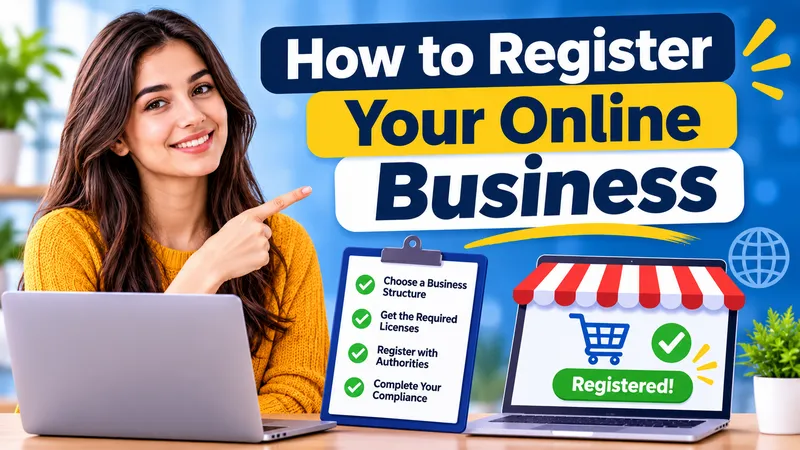
- Choose a business structure. Common options are sole proprietorship, partnership, limited liability company (LLC or private limited company) and corporation. They differ in liability protection, tax treatment and paperwork.
- Pick and check your business name. Make sure it is not already registered or trademarked in your market.
- Register with the government. File with the relevant business registry and obtain any local trade or business licence.
- Get tax registrations. Apply for a tax ID and, where required, sales tax, VAT or GST registration. Thresholds vary by country and sometimes by region.
- Open a business bank account. Keep business and personal money separate to simplify accounting and protect liability.
- Set up payments and bookkeeping. Connect a payment gateway and use accounting software from day one.
- Secure your domain name. Register it in the business name and add privacy protection and auto-renewal.
Learn About Online Business Laws and Stay Compliant
Online businesses must follow the laws of the places where they operate and, often, where their customers live. This is general information, not legal advice. Confirm requirements with a lawyer or accountant in your market.
| Area | What to do |
|---|---|
| Business and tax | Register the business, collect and remit sales tax, VAT or GST where required, and keep records |
| Data privacy | Publish a privacy policy and follow laws such as the EU GDPR, California’s CCPA and India’s DPDP Act when you collect customer data |
| Cookies and tracking | Ask for consent where the law requires it before using non-essential cookies or ad pixels |
| Consumer protection | State prices, shipping costs, delivery times and return rights clearly |
| Terms and policies | Publish terms of sale, refund and shipping policies on your site |
| Payments | Use a PCI-compliant payment gateway so you never store raw card numbers |
| Advertising and reviews | Disclose sponsorships and affiliate links, and never fake reviews or testimonials |
| Intellectual property | Use licensed images and fonts, and avoid copying others’ content or brand names |
| Product rules | Check labelling, safety and import rules for food, cosmetics, electronics and children’s products |
| Accessibility | Aim to meet WCAG guidelines so people with disabilities can use your site |
To stay compliant over time, set a quarterly reminder to review policies, tax thresholds and platform rules, and keep a simple folder of licences, contracts and supplier agreements.
How to Set Up Your Website and E-commerce Platform, Then Launch
Choose a platform that matches your skills and product type, then launch with a small, polished catalogue instead of waiting for perfection.
| Platform type | Examples | Best for |
|---|---|---|
| Hosted store builders | Shopify, BigCommerce, Wix, Squarespace | Fast setup, built-in payments and hosting |
| Open-source plugins | WooCommerce on WordPress | Full control and content-heavy sites |
| Marketplaces | Amazon, Etsy, eBay, Flipkart | Built-in traffic, less brand control |
| Digital product tools | Gumroad, Teachable, Kajabi | Courses, downloads and memberships |
Setup checklist
- Register your domain and connect it to the platform.
- Choose a clean, mobile-friendly theme. Most shoppers browse on phones.
- Add products with original photos, benefit-led descriptions, clear prices and variants.
- Connect payment methods your customers use, such as cards, UPI, wallets or buy-now-pay-later.
- Configure shipping rates, delivery times, taxes and returns.
- Create core pages: Home, About, Contact, Shipping, Returns, Privacy Policy and Terms.
- Install analytics, Google Search Console and a conversion tracker.
- Place a test order, check emails and speed, and test on phone and desktop.
Launch
Announce to friends, existing contacts and niche communities first, offer a launch incentive, collect feedback from your first ten customers, and fix friction quickly. A soft launch lets you improve before you spend heavily on ads.
How to Develop a Marketing Strategy for Your Online Business
A good strategy picks a few channels, matches them to your audience, and measures results. Start with three, then add more once they work.
- SEO (search engine optimisation). Target specific keywords your audience searches, write helpful product and category pages, build a clear site structure, and earn links from relevant sites.
- AEO (answer engine optimisation). Answer real questions in plain language near the top of a page, use question-style headings and short paragraphs, and add FAQ and how-to sections so search engines can show your answer in featured snippets and voice results.
- GEO (generative engine optimisation). Make your content easy for AI assistants to cite: state facts clearly, name your business and offer consistently, show author expertise, add original data or examples, and keep information current.
- Content marketing. Publish guides, comparisons and tutorials that solve customer problems before they are ready to buy.
- Email marketing. Collect addresses with an offer, send a welcome series, and follow up on abandoned carts.
- Social media. Pick one or two platforms where your audience already is, and share useful, visual content consistently.
- Paid ads. Test small budgets on search and social ads once your product page converts well organically.
- Partnerships and influencers. Work with creators and complementary brands your audience already trusts.
- Local and marketplace presence. Claim a Google Business Profile if you serve a local area, and list on marketplaces where buyers search.
Track results with Google Analytics and Search Console, review monthly, and double down on what brings paying customers rather than just visits.
Read Also – CRM for Small Business: 10 Free and Low-Cost CRM Tools to Consider
How to Convert Visitors into Customers
Conversion rate optimisation (CRO) means removing the reasons visitors leave without buying. Fix the biggest friction first, and change one thing at a time so you can see what worked.
- Clear value proposition. State what you sell and why it is better in the first screen of the page.
- Strong product pages. Use sharp photos or video, benefit-led copy, size or spec details, and an obvious buy button.
- Social proof. Show genuine reviews, ratings, user photos and case studies. Never invent them.
- Transparent pricing and shipping. Hidden costs at checkout are a leading cause of abandoned carts.
- Simple checkout. Offer guest checkout, fewer form fields and the payment methods your customers prefer.
- Speed and mobile experience. Compress images, keep pages light, and test every step on a phone.
- Risk reducers. Offer easy returns, guarantees, secure-payment badges and responsive support.
- Follow-up. Send abandoned-cart emails and retarget visitors who viewed products but did not buy.
- Test and measure. Use analytics, heatmaps and A/B tests to learn where people drop off.
Grow Your Business
Growth comes from selling more to existing customers, reaching new ones, and running operations more efficiently. Use data to decide where to invest next.
- Raise customer lifetime value. Add bundles, upsells, loyalty rewards and subscriptions.
- Expand your catalogue carefully. Add products that your current customers already ask for.
- Build an email and community base. Owned audiences cost less than paid traffic over time.
- Scale the channels that work. Increase budget on the ads, keywords and partners with the best return on spend.
- Collect and display reviews. Ask every buyer, and reply to feedback publicly.
- Automate. Use tools for inventory, email sequences, customer support and bookkeeping to free up your time.
- Open new markets. Add marketplaces, new regions or wholesale once your core business is stable.
- Review numbers monthly. Watch traffic, conversion rate, average order value, customer acquisition cost and repeat purchase rate.
Read Also – How to Get a Small Business Loan in 2026
Common Challenges When Starting an Online Business and How to Overcome Them
| Challenge | How to overcome it |
|---|---|
| Choosing a weak or overcrowded niche | Narrow your focus, validate demand with research and a small test before investing |
| Low traffic at launch | Publish SEO content, build an email list, and use community and partnership outreach alongside small paid tests |
| Visitors who do not buy | Improve product pages, add reviews, simplify checkout and clarify shipping and returns |
| Cash flow pressure | Start lean, order small batches or use dropshipping, and track margins on every product |
| Supplier and shipping problems | Test samples, keep a backup supplier, and set realistic delivery times |
| Competing with bigger brands | Compete on niche expertise, service, community and unique products instead of price |
| Trust and credibility | Show contact details, real reviews, clear policies and secure payments |
| Time and burnout | Automate repetitive work, set weekly priorities, and outsource tasks that are not your strength |
| Compliance confusion | Keep policies current, track tax thresholds and ask a professional when unsure |
| Algorithm and platform changes | Diversify traffic sources and build owned channels such as email |
The Final Word
Starting a small business online is a process of testing, not guessing. Choose a focused niche, confirm demand, understand your customer, register properly, launch a simple store and let real data guide what you improve. You do not need a large budget or a perfect plan. You need a clear offer, honest marketing and the habit of reviewing results every month.
Pick one step from this guide and finish it this week. Momentum matters more than perfection.
FAQs About How to Start an Online Business
You can start with very little. Service and digital businesses can launch for the cost of a domain, a website plan and basic tools. Product businesses need more for inventory, packaging and ads. Your budget depends on your model, so list every cost and add a buffer.
Service businesses, freelancing and digital products have the lowest barriers because they need little or no inventory. Dropshipping is also easy to launch but often has thin margins and less control over delivery.
In most places, yes. Requirements vary by country and by how much you earn, so check with your local registry and tax authority. Registering also helps you open a business bank account and build trust.
A simple store can go live in days to a few weeks once you have a product, photos and policies ready. Research, sourcing and branding usually take longer than the technical setup.
Hosted builders such as Shopify, Wix or Squarespace suit beginners. WooCommerce suits people who want more control. Marketplaces such as Amazon or Etsy give you built-in traffic. Choose by budget, product type and technical comfort.
Start with people you know, niche communities and social channels where your audience gathers. Add SEO content, an email list and small paid tests. A launch offer and early reviews help build trust.
Look for a specific audience with a clear problem, steady search demand and enough margin after costs. Validate it with keyword research, competitor review and a small test before you invest.
Yes. Many founders start on evenings and weekends. Automating orders, email and bookkeeping makes this easier, and you can go full-time once income is steady.
Publish clear, accurate answers to customer questions, use consistent business details everywhere, add structured data such as FAQ and Product schema, and earn reviews and mentions from credible sites.
Common mistakes are skipping research, choosing a niche that is too broad, ignoring legal basics, relying on one traffic source, and not tracking numbers.