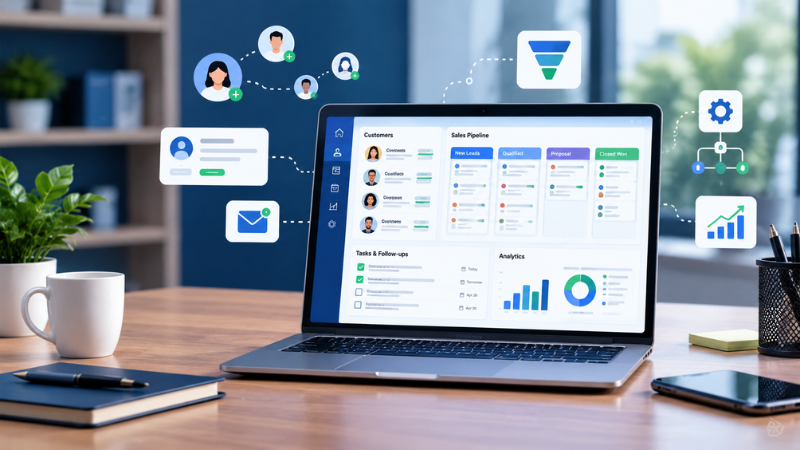
A customer relationship management (CRM) system can help a small business keep customer information, leads, sales activities, follow-ups, and communication in one place. Instead of relying on spreadsheets, inboxes, notes, and individual employees’ memory, a CRM creates a central record of customer relationships.
For small businesses, the challenge is not the availability of CRM software; there are hundreds of options with varying pricing models, features, integrations, and learning curves. The right choice depends on factors such as the size of the team, the sales process, budget, industry, and the tools currently in use by the business.
The good news is that small businesses do not necessarily need an expensive enterprise CRM. Several providers offer free or relatively low-cost plans that can handle contact management, sales pipelines, follow-ups, reporting, automation, and other essential tasks.
This guide explains what a CRM does, why a small business may need one, 10 free or low-cost CRM tools to consider, how to compare them, and where small companies commonly struggle with CRM adoption.
What Is a CRM for Small Businesses?
CRM stands for customer relationship management.
CRM software is designed to organize information about prospects and customers and track interactions throughout the sales and customer relationship lifecycle.
A typical CRM can store:
- Customer and prospect contact information
- Company information
- Emails and communication history
- Sales opportunities
- Lead status
- Tasks and follow-up reminders
- Meetings and calls
- Sales pipeline stages
- Notes and documents
- Customer segments
- Sales reports and dashboards
For example, imagine a small web development company receives a new inquiry through its website.
Without a CRM, the lead might exist in an email inbox, a spreadsheet and a salesperson’s notes.
With a CRM, the company can create a lead record, assign it to a salesperson, schedule a follow-up, move the opportunity through different sales stages, record conversations and eventually mark the deal as won or lost.
The result is a more organized sales process and a clearer history of the customer relationship.
CRM software as a central source of customer and interaction information that can support sales, marketing and customer service activities.
What Is a CRM and Does Your Small Business Actually Need One?
Not every small business needs a sophisticated CRM on day one.
If you have only a handful of customers and manage every relationship personally, a spreadsheet or simple contact-management system may be enough.
A CRM becomes more useful when customer information and sales activity start becoming difficult to manage manually.
Signs your business may need a CRM
You may benefit from CRM software if:
- Leads are being tracked in spreadsheets.
- Salespeople keep customer information in separate files.
- Follow-ups are occasionally forgotten.
- More than one employee communicates with the same customer.
- You cannot easily see which deals are close to conversion.
- You spend significant time copying information between tools.
- Customer information is difficult to find.
- You want to measure sales performance.
- You are generating more leads than you can comfortably manage manually.
- Your business needs repeatable sales and follow-up processes.
A CRM is particularly useful when the business moves from relationship management based on individual memory to a repeatable process that multiple people can follow.
Benefits of CRM Software for Small Businesses
1. Centralized customer information
A CRM gives employees one place to find customer and prospect information.
Instead of searching through spreadsheets, email conversations, documents and messaging applications, employees can access a customer record and review relevant activity.
This becomes increasingly important as a company adds employees.
2. Better lead management
A CRM can help businesses organize leads according to their stage in the buying process.
For example:
New lead → Qualified → Proposal → Negotiation → Won/Lost
This gives sales teams a visual view of their pipeline and helps them determine which opportunities require attention.
3. More consistent follow-ups
A potential customer can be lost simply because nobody followed up at the right time.
CRM systems can create tasks, reminders, and automated workflows to help teams stay on top of follow-ups.
4. Improved customer visibility
A customer record can contain previous emails, meetings, calls, notes, purchases and other interactions.
That context can help employees understand what has already happened before contacting the customer again.
5. Sales reporting
Many CRM platforms provide dashboards showing metrics such as:
- Number of leads
- Open opportunities
- Deal value
- Conversion rates
- Sales activity
- Pipeline stages
- Revenue forecasts
This can help owners and managers understand how the sales process is performing.
6. Automation
CRM automation can reduce repetitive administrative work.
Depending on the platform and plan, businesses may be able to automatically assign leads, send reminders, update records, trigger emails or move deals between stages.
The automation, lead management, task management, sales pipelines, integrations, mobile access and AI features are among the capabilities small businesses should consider when evaluating CRM software.
7. Better collaboration
When customer information is centralized, different employees can work from the same information.
This can be especially useful when sales, marketing, support and management teams all interact with the same customers.
10 Free or Low-Cost CRM Tools for Small Businesses
There is no single CRM that is right for every small business.
The following options cover different use cases, including startups, solo businesses, sales teams, remote teams, and companies that need more customization.
Read Also – Best Accounting Software for Small Businesses | Best AI Tools for Small Businesses
Pricing can change by country, billing cycle, user count and promotional offer. Check the vendor’s current pricing page before purchasing.
1. HubSpot CRM
Best for: Startups and small businesses looking for a broad free CRM ecosystem.
HubSpot is widely used for combining CRM, sales, marketing, customer service, and related business activities.
Its free CRM can provide a starting point for managing contacts, deals, sales activity, email tools, scheduling, and reporting. Paid tiers add additional automation and capabilities.
The currently lists HubSpot’s free CRM among the low-cost options for small businesses.
Consider HubSpot if you need:
- Contact management
- Deal tracking
- Email tools
- Scheduling
- Sales reporting
- Marketing and customer-service expansion
Potential consideration: Businesses should examine feature limits carefully before assuming that a free plan will cover advanced automation or larger teams.
2. Zoho CRM
Best for: Small businesses that want customization and a broader business-software ecosystem.
Zoho CRM provides contact, lead, deal, task, workflow, reporting, and mobile capabilities.
Zoho currently offers a free edition for up to three users. Its free plan includes contact management, follow-up reminders, workflow automation, email templates, tasks, meetings, calls, reports, and APIs.
Businesses can also expand into other Zoho products as their needs grow.
Consider Zoho CRM if you need:
- A free starting plan
- Workflow automation
- Customization
- Reporting
- Mobile CRM access
- Integration with other business applications
Potential consideration: The platform offers many capabilities, so smaller teams should avoid configuring more features than they actually need.
3. Freshsales
Best for: Small sales teams that want CRM, communication, and sales pipeline functionality.
Freshsales is Freshworks’ CRM platform and includes contact management, deal management, sales activities, email, phone, chat, and pipeline capabilities.
Freshworks currently lists a free plan for up to three users. Its paid Growth plan is listed at $9 per user per month when billed annually, while Pro and Enterprise tiers add more advanced capabilities.
Consider Freshsales if you need:
- Contact and account management
- Sales pipelines
- Email and phone tools
- Mobile access
- Sales dashboards
- AI-powered features at higher tiers
Potential consideration: Check exactly which communication, automation, and AI capabilities are included in your selected plan.
4. monday CRM
Best for: Small sales and marketing teams that prefer visual workflows.
monday CRM uses visual boards and customizable workflows to manage leads, contacts, deals, tasks, and sales pipelines.
The CRM’s Basic, Standard and Pro tiers at $18, $25 and $41 per seat per month respectively with pricing depending on billing terms.
Consider monday CRM if you need:
- Visual sales pipelines
- Multiple pipelines
- Custom dashboards
- Task management
- Workflow automation
- Integrations
Potential consideration: Pricing and user requirements should be evaluated carefully if your team is very small.
5. Less Annoying CRM
Best for: Solo business owners and small teams that want a straightforward CRM.
Less Annoying CRM focuses on simplicity rather than providing a large collection of enterprise features.
The currently lists it at $15 per user per month and highlights customizable contact and pipeline fields, email logging, task management and reporting.
Consider it if you need:
- Simple contact management
- Sales pipelines
- Follow-up tasks
- Email logging
- Custom fields
- A relatively simple interface
Potential consideration: Businesses looking for advanced marketing automation or extensive enterprise functionality may need another platform.
6. EngageBay
Best for: Small businesses looking to combine CRM, marketing, and customer support.
EngageBay combines CRM functions with marketing automation and help desk capabilities.
The currently lists a free plan supporting up to 15 users and 250 contacts, with paid plans adding additional capabilities.
Consider EngageBay if you need:
- Lead management
- Email marketing
- Appointment scheduling
- Help desk functionality
- Landing pages
- Automated email sequences
Potential consideration: Check contact, automation, and feature limits carefully as your business grows.
7. Pipedrive
Best for: Sales-focused businesses that want a visual pipeline.
Pipedrive is designed around sales pipeline management and provides tools for deals, activities, reporting, email communication, and sales workflows.
Its Pipedrive’s Lite plan at $24 per user per month with higher tiers adding additional functionality.
Consider Pipedrive if you need:
- Visual deal pipelines
- Sales activity tracking
- Email tracking
- Sales reports
- Custom pipelines
- Sales-focused automation
Potential consideration: Businesses wanting a broad all-in-one marketing and service platform should compare its capabilities against broader CRM suites.
8. Bitrix24
Best for: Teams that want CRM alongside collaboration and project-management functionality.
Bitrix24 combines CRM with communication, project management, document collaboration, and other business tools.
A free plan and paid tiers that expand users and capabilities.
Consider Bitrix24 if you need:
- CRM
- Project management
- Team collaboration
- Task management
- Documents
- Sales management
Potential consideration: Its broad feature set can introduce more complexity than a small business needs if the company only wants basic CRM functionality.
9. Apptivo
Best for: Businesses with more customized sales processes or longer sales cycles.
Apptivo combines CRM and business applications and provides customizable fields, dashboards, views, reports, lead assignment, and follow-up automation.
Its Lite plan at $20 per user per month, with higher tiers adding more functionality.
Consider Apptivo if you need:
- Custom CRM workflows
- Detailed customer records
- Sales dashboards
- Custom reports
- Lead assignment
- Business process customization
Potential consideration: More customization usually means more setup work, so businesses should make sure the added flexibility solves a real operational problem.
10. Pipeline CRM
Best for: Contractors, manufacturers, field sales teams, and businesses with activity-heavy sales processes.
Pipeline CRM focuses on sales pipeline management and provides tools such as activity tracking, reporting, mobile functionality, and file storage.
Pipeline’s entry plan at $29 per user per month.
Consider Pipeline if you need:
- Deal tracking
- Activity reporting
- Mobile sales tools
- File storage
- Sales goals
- Field-sales support
Potential consideration: Compare its workflow and pricing structure with simpler CRM products if your sales process is straightforward.
CRM Comparison for Small Businesses
| CRM | Free/Low-Cost Starting Point | Good Fit For | Key Strength |
|---|---|---|---|
| HubSpot CRM | Free option | Startups and small businesses | Broad CRM ecosystem |
| Zoho CRM | Free for up to 3 users | Small and growing teams | Customization and ecosystem |
| Freshsales | Free for up to 3 users | Sales teams | Sales + communication tools |
| monday CRM | Paid plans from listed entry tier | Sales and marketing teams | Visual workflows |
| Less Annoying CRM | $15/user/month listed | Solopreneurs | Simplicity |
| EngageBay | Free option | Sales + marketing + support | All-in-one capabilities |
| Pipedrive | Paid plans from listed entry tier | Sales teams | Visual sales pipeline |
| Bitrix24 | Free option | Collaborative teams | CRM + project management |
| Apptivo | Paid plans from listed entry tier | Custom sales processes | Customization |
| Pipeline CRM | Paid plans from listed entry tier | Field sales and contractors | Sales activity management |
Pricing and plan limits are based on current information available from the different sources.
Read Also – How to Get a Small Business Loan in 2026
How to Choose the Right CRM for Your Business
Choosing CRM software should start with your business process, not the software’s feature list.
A CRM with 100 features is not necessarily more useful than one with 20 features if your team only needs five.
1. Define the problem first
Ask:
What problem are we trying to solve?
For example:
- Lost leads → prioritize lead tracking.
- Missed follow-ups → prioritize tasks and automation.
- Poor sales visibility → prioritize pipeline management.
- Customer information scattered across systems → prioritize centralized contact records.
- Manual reporting → prioritize dashboards and analytics.
This prevents a business from buying software simply because it has a long feature list.
2. Decide how many people will use it
CRM pricing often depends on users.
A free CRM for one to three users can be sufficient for a solo founder or very small sales team.
However, a business with 10, 20, or 50 employees should calculate the full subscription cost rather than focusing only on the advertised entry-level price.
3. Check the free-plan limits
“Free CRM” does not always mean unlimited CRM.
Check:
- Number of users
- Number of contacts
- Storage
- Email limits
- Automation limits
- Number of pipelines
- Reporting capabilities
- Integrations
- API access
- Customer support
- AI feature limits
A free plan should be evaluated according to what your business actually needs.
4. Test the workflow before buying
Do not evaluate a CRM only by watching a product demonstration.
Create a small test account and perform the tasks your employees will actually do.
For example:
- Add a new lead.
- Assign the lead.
- Create a deal.
- Schedule a follow-up.
- Send an email.
- Move the opportunity to another stage.
- Generate a report.
- Search for the customer’s previous activity.
If these basic tasks feel unnecessarily complicated, adoption may become a problem.
5. Look at integrations
A CRM should work with the tools your business already depends on.
Potential integrations include:
- Gmail
- Outlook
- Calendar
- Slack
- Accounting software
- Ecommerce platforms
- Marketing tools
- Customer support software
- Business phone systems
- Forms
- Project management platforms
Integrations can reduce duplicate data entry and make the CRM part of the existing workflow rather than another isolated application.
6. Think about mobile access
If employees work remotely, travel, visit customers, or attend events, mobile CRM access can be important.
A salesperson should ideally be able to review a customer record, update a deal, add notes, or create a task without needing to return to a desktop computer.
7. Consider data portability
Before committing to a CRM, understand how easily you can export your data.
Ask:
- Can contacts be exported?
- Can deals be exported?
- Can activity history be exported?
- Are there API restrictions?
- What happens to your data if you cancel?
- Are there migration tools?
Your CRM contains business-critical information, so data portability should not be an afterthought.
Where Most Small Businesses Struggle With CRM
Buying CRM software is usually easier than getting a team to use it consistently.
Problem 1: The CRM becomes another database nobody updates
If employees continue using spreadsheets, personal notes, and separate inboxes, the CRM quickly becomes incomplete.
Solution: Define which information must be recorded in the CRM and make the process as simple as possible.
Problem 2: Too many custom fields
Small businesses sometimes try to reproduce every spreadsheet column inside their new CRM.
This can make the system difficult to use.
Solution: Start with essential fields and add new ones only when they support a specific business process.
Problem 3: The sales pipeline does not match reality
A pipeline with too many stages can make reporting confusing.
Solution: Build stages around real customer decisions rather than internal administrative steps.
Problem 4: Employees do not understand why the CRM matters
If employees see CRM data entry as administrative work that provides no benefit, adoption can suffer.
Solution: Show how the CRM reduces duplicate work, makes follow-ups easier, and gives employees useful customer context.
Problem 5: Automation is introduced too early
Automation can be valuable, but automating a broken process can make the problem harder to see.
Solution: First create a simple, repeatable process. Automate it once it works.
Problem 6: The company chooses software based only on price
A free CRM can be an excellent starting point, but the cheapest plan may not remain suitable as the business grows.
Solution: Compare today’s cost with the cost of the next stage of growth.
How Slack Could Complement Your CRM
CRM software and team communication platforms solve different problems.
A CRM is generally used to maintain structured customer and sales information, while Slack is designed for team communication and collaboration.
Connecting them can reduce the distance between customer information and the conversations employees have about that information.
Slack currently supports Salesforce integration, allowing users to view and update supported Salesforce records from Slack. Changes made to supported records can be reflected in Salesforce, subject to permissions and supported objects.
Slack also offers Slack CRM functionality based on Salesforce Free Edition for eligible workspaces, allowing customer records and CRM-related collaboration to take place within Slack.
A simple example
Imagine a sales representative posts in a customer-specific Slack channel:
“The customer wants to move the implementation date forward by two weeks.”
Instead of leaving that information only in Slack, the team can update the relevant CRM record.
The CRM remains the structured system of record, while Slack becomes part of the communication layer around the customer.
This can be useful for teams where sales, customer success, technical, and management employees regularly collaborate around the same accounts.
However, businesses should establish clear rules about what customer information belongs in the CRM versus informal team conversations.
Free CRM vs. Paid CRM: When Should You Upgrade?
A free CRM can be enough when:
- You are a solo founder.
- Your sales pipeline is small.
- You have only a few CRM users.
- You mainly need contact management.
- You need basic deal tracking.
- You are moving away from spreadsheets.
A paid CRM may become more useful when:
- Your team needs advanced automation.
- You need multiple pipelines.
- Reporting requirements are increasing.
- You need advanced integrations.
- Lead volumes are growing.
- You need more sophisticated permissions.
- Marketing and sales workflows need to be connected.
- AI or advanced analytics provide measurable value.
Its free plans for very small teams from paid plans that provide more automation, insights, integrations, and collaboration capabilities.
Choosing a CRM That Grows With You
The goal is not to select the most powerful CRM available.
The goal is to select a CRM that can support your current process without creating unnecessary complexity and has a reasonable path for growth.
Before choosing, ask these questions:
Can we afford the next pricing tier?
Don’t only calculate today’s bill.
Calculate what the software could cost when:
- You add five employees.
- You double your contacts.
- You need marketing automation.
- You need additional pipelines.
- You require advanced reporting.
Can employees learn it quickly?
A technically powerful CRM that employees avoid using is less useful than a simpler platform that becomes part of the daily workflow.
Can it integrate with our existing stack?
Consider your current email, calendar, accounting, marketing, customer support, communication and project-management tools.
Can we export our data?
Avoid building your entire customer database around a system without understanding its data-export and migration options.
Does the vendor support our growth?
Review the higher pricing tiers before signing up.
A CRM may appear affordable initially but become significantly more expensive once the company needs automation, additional users, advanced reporting, or AI features.
A Simple CRM Selection Checklist
Before purchasing a CRM, score each shortlisted platform against your own requirements.
| Requirement | What to Check |
|---|---|
| Contact management | Can you organize customers and prospects easily? |
| Lead management | Can you capture and qualify leads? |
| Pipeline | Can you create stages that match your sales process? |
| Follow-ups | Can you create tasks and reminders? |
| Automation | Can repetitive tasks be automated? |
| Reporting | Can you measure sales activity and results? |
| Integrations | Does it connect to your existing tools? |
| Mobile | Can employees use it away from their desks? |
| Collaboration | Can different teams access relevant customer information? |
| Security | Does the vendor provide appropriate security controls? |
| Data export | Can you retrieve your information if you leave? |
| Scalability | Can the platform grow with your business? |
| Price | What will the total cost be at your expected team size? |
| Usability | Can employees learn and use it consistently? |
Conclusion
For a small business, choosing CRM software is less about finding the platform with the longest feature list and more about finding a system that employees will actually use.
Start by identifying the problem you want to solve. Then compare contact management, pipeline tracking, follow-ups, automation, integrations, reporting, mobile access, security, data portability, and total cost.
A free CRM can be a practical starting point for a solo founder or very small team. As the business grows, paid features may become worthwhile when they reduce manual work, improve visibility, or support more sophisticated sales and customer processes.
The most sustainable CRM strategy is usually simple: centralize customer information, create a clear sales process, make updates easy, automate repetitive work, and choose software that can grow without forcing the business into unnecessary complexity.
There is no universally best CRM for every small business. The appropriate choice depends on factors such as team size, sales process, budget, required integrations, industry, and desired automation.
HubSpot, Zoho CRM, Freshsales, monday CRM, Less Annoying CRM, EngageBay, Pipedrive, Bitrix24, Apptivo, and Pipeline CRM represent different approaches to small-business CRM, from simple contact management to broader sales and business-management platforms.
A CRM can be useful when a business has enough leads, customers, employees, or sales activity that manual tracking becomes difficult.
For a very small operation with only a few customers, a CRM may not be necessary immediately.
The answer depends on what “free” needs to accomplish.
Zoho CRM currently offers a free edition for three users, while Freshsales also provides a free plan for up to three users. Other platforms offer free CRM options with different limits and features.
Yes. Several CRM providers offer free plans. However, free plans typically have limitations on users, contacts, automation, integrations, storage, reporting, or advanced features.
CRM pricing varies substantially.
The U.S. Chamber of Commerce’s current CRM guide describes free plans, entry-level plans around $10–$30 per month, mid-tier plans around $30–$80, and higher-cost enterprise tiers. Actual pricing depends on the vendor, billing cycle, number of users, and selected features.
A CRM can replace spreadsheets for many customer and sales-management tasks, but spreadsheets can still be useful for analysis, imports, exports, financial modeling, and other work outside the CRM.
The important question is whether customer and sales information has a reliable system of record.
A startup can start with a CRM when it begins managing enough leads or customer relationships to benefit from centralized records and repeatable sales processes.
Starting with a simple CRM can also make it easier to establish good data-management habits before the sales operation becomes more complex.
Many modern CRM platforms now offer AI-powered features, although availability varies by vendor and subscription tier.
Examples include lead scoring, summaries, recommendations, forecasting, content generation, data enrichment, and automated assistance.
Businesses should evaluate whether an AI feature solves a real workflow problem rather than selecting a CRM simply because it advertises AI.