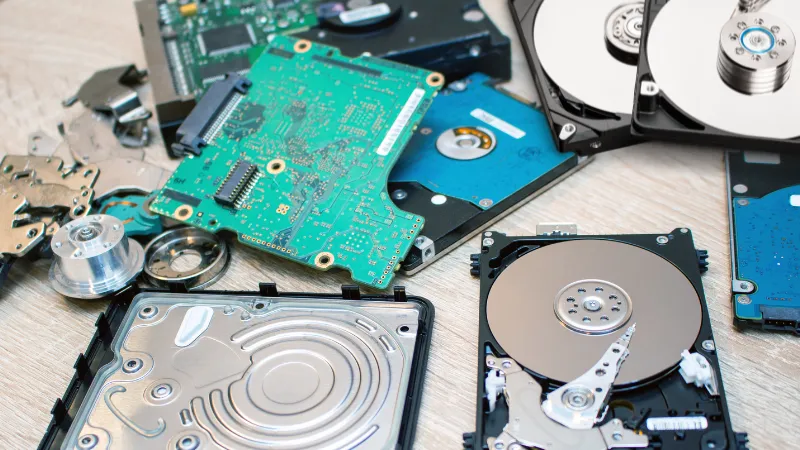
What happens to your data when you delete a file?
For most people, it seems to disappear. But the data may still be sitting on the hard drive. Emptying the recycle bin or formatting the drive does not always remove everything permanently. With the right tools, deleted information can sometimes be recovered.
This becomes a serious concern when an old hard drive contains sensitive business or personal information. Customer records, employee details, financial documents, passwords, and private company files can all remain on retired drives.
Improper disposal can put this information at risk. A discarded hard drive could fall into the wrong hands and lead to a data breach, identity theft, financial loss, or other security problems. Businesses may also face compliance issues if they fail to properly protect sensitive information.
Simply throwing an old hard drive in the trash is not a safe solution.
Professional hard drive destruction services provide a more secure way to permanently deal with unwanted storage devices. Instead of relying only on software to erase the data, the hard drive is physically destroyed. This makes the drive unusable and prevents the stored information from being accessed through normal recovery methods.
Whether you are replacing office computers, upgrading servers, closing a business, or clearing out old IT equipment, secure hard drive destruction helps you dispose of your drives with confidence.
Hard drive destruction services are designed to permanently destroy data stored on old or unwanted storage devices.
Deleting files is not always enough. Formatting a drive may not be enough either. Data can remain on the storage media and may be recovered with specialized tools.
Hard drive destruction takes a different approach.
Instead of trying to erase the information with software, the storage device is physically destroyed. The drive is damaged in a way that prevents it from working normally and makes the stored data inaccessible through standard recovery methods.
This is especially useful when a drive is no longer needed and does not need to be reused.
Professional data destruction services can handle more than standard desktop hard drives. Depending on the service provider, the following devices may be accepted:
The exact destruction method can vary depending on the type of storage device.
For example, SSDs store data differently from traditional HDDs. So, they may require a different physical destruction process.
When a storage device is physically destroyed, it can no longer be used as a normal working drive. This provides a clear way to retire data-bearing equipment when the information must not remain accessible.
For businesses, this can be an important part of a secure IT asset disposal process.
Whether you have a few old laptop drives or a large number of server drives, professional hard drive destruction helps ensure that unwanted storage devices do not become an unexpected source of data exposure.
Getting rid of an old hard drive is not just about disposing of a piece of computer equipment.
It is also about protecting the information stored on it.
A hard drive can hold years of sensitive data. This may include customer information, employee records, financial details, passwords, emails, business documents, and other private files.
Simply deleting those files does not always remove them permanently. Even a formatted drive may still contain data that can be recovered with the right tools.
That is why secure data disposal matters.
Old drives can become a security risk if they are not handled properly. Someone who finds a discarded drive may try to recover the information stored on it.
Physical hard drive destruction removes the drive from use. It makes the storage media unusable and greatly reduces the risk of the data being accessed through normal recovery methods.
A discarded hard drive should not become the starting point for a data breach.
Proper destruction helps prevent sensitive information from leaving your control when computers, servers, or storage devices are retired.
This is especially important for businesses that handle customer or employee data.
Many organizations have rules and internal procedures for handling sensitive information.
Secure destruction can be an important part of those procedures. It helps businesses show that old storage devices were not simply thrown away with their data still intact.
A data breach can be expensive.
There may be investigation costs, business disruption, legal expenses, recovery work, and damage to customer trust.
Secure hard drive destruction is a simple step that can help reduce these risks before old equipment leaves your control.
You do not have to keep unwanted hard drives sitting in storage forever.
Once a drive has reached the end of its useful life, professional hard drive destruction provides a secure way to deal with the data before the equipment is recycled or disposed of.
It is a straightforward part of responsible IT asset disposal—and one that should not be overlooked.
Old hard drives can still contain sensitive information, even after files have been deleted.
Deleting a file does not always mean the data is gone. The information can remain on the drive until it is properly overwritten or physically destroyed. With specialized data recovery tools, some deleted files may be retrieved.
This can be a serious problem if an old drive is sold, recycled, or thrown away without proper data disposal.
Physical hard drive destruction takes the drive out of use completely. The storage media is damaged so the drive can no longer function normally or be accessed like a working storage device.
For businesses handling customer records, financial information, employee data, or confidential files, destroying unwanted drives is a practical way to reduce the risk of sensitive information falling into the wrong hands.
Old hard drives often contain much more than people realize.
A computer may have been replaced years ago, but the information stored on its drive can still be there. That information could be private, valuable, or legally protected.
Depending on the business, an old drive may contain:
This is why simply throwing an old hard drive away is not a good idea.
Hard drive destruction services physically destroy the storage device before it is recycled or disposed of. Once the drive has been destroyed, the data is no longer sitting on a working device that someone can simply plug in and access.
For businesses, this is a practical step toward keeping sensitive information protected throughout the entire lifecycle of their IT equipment.
Businesses have a responsibility to protect sensitive information. That responsibility does not end when a computer or hard drive is no longer being used.
Depending on where you operate and what type of information you handle, different data protection rules may apply. These can include GDPR, HIPAA, FACTA, as well as state and industry-specific requirements.
For example, healthcare organizations may need to take extra care when disposing of patient information. Businesses that handle personal or financial data may also have specific requirements for secure disposal.
Simply putting old hard drives in the trash may not be enough.
Secure hard drive destruction can form an important part of a company’s data disposal process. The storage device is physically destroyed rather than simply having its files deleted.
Keeping proper records of the destruction can also be important. Depending on the service and applicable requirements, organizations may receive documentation showing that specific drives were destroyed.
This gives your business a clear record of what happened to the equipment and when it was destroyed. It can also help demonstrate that reasonable steps were taken to protect sensitive information after the equipment was retired.
The exact requirements vary by industry and location. Businesses should always follow the regulations that apply to their specific situation.
Deleting a file does not always mean the data is gone.
When you empty the recycle bin, the computer usually removes the file’s reference from the file system. The space can then be marked as available for new data. The original information may still remain on the drive until it is overwritten.
Formatting works in a similar way. A quick format can remove the file system information that tells the computer where files are stored. It does not necessarily overwrite every piece of data on the drive.
This is where data recovery software comes in. Depending on the drive and how it was used, specialized recovery tools may be able to find and restore some deleted information.
That can be a problem when an old drive contains customer records, financial documents, passwords, or other confidential files.
If you no longer need the drive, there may be no reason to keep it usable.
Professional hard drive destruction physically destroys the storage device. This makes the drive unusable and prevents someone from simply connecting it to a computer and accessing the stored data.
For businesses disposing of old IT equipment, physical destruction provides a clear and practical way to deal with drives that contain sensitive information.
Once the drive has been properly destroyed, there is no working storage device left to reuse or access.
Professional hard drive destruction is a simple process, but it needs to be handled properly.
The goal is clear. The drive must be destroyed in a way that prevents the stored data from being accessed or recovered through normal methods.
Here is how the process typically works.
The process starts with the collection of your old storage devices.
You may have a few drives from office computers. Or you may have hundreds from retired servers and IT equipment.
Depending on the service, the drives can be dropped off or collected from your location.
The drives are identified and recorded before destruction.
This helps keep track of the equipment being processed. For larger jobs, businesses may also provide an inventory or asset list.
Keeping a clear record is especially useful when you need documentation for your internal data disposal process.
The hard drives are kept under control while they wait to be destroyed.
They should not be left where unauthorized people can access them. Proper handling reduces the chance of a drive being lost, misplaced, or accessed before destruction.
The drives are then physically destroyed using equipment designed for data-bearing devices.
The exact method depends on the type of storage.
Traditional HDDs contain magnetic platters that store data. SSDs use flash memory chips instead. Both need to be destroyed properly if the goal is to prevent the storage device from being reused or accessed.
The destruction process damages the drive and its storage components. The device can no longer operate as a normal storage drive.
After destruction, the remaining materials can be sorted for appropriate electronic recycling and recovery.
This helps keep destroyed IT equipment out of general waste where possible. It also allows useful materials to be recovered.
For business customers, documentation can be an important part of the process.
Depending on the service, you may receive a record confirming that the drives were destroyed. This can include details such as the quantity or identification of the devices and the date of destruction.
Keep these records with your other IT disposal documents.

The whole point of professional hard drive destruction services is to make secure data disposal easier.
You do not have to worry about whether an old drive was simply formatted or whether someone could recover deleted files.
The drive is physically destroyed. It is then handled for responsible disposal or recycling.
For businesses with sensitive information, this provides a straightforward way to close the door on old data before the equipment leaves their control.
Hard drive destruction starts before the drive is actually destroyed.
Old drives are collected from your office, facility, or other agreed location. This can be useful when you have a large number of drives that are difficult to transport yourself.
Once collected, the drives need to be handled carefully. They may still contain sensitive information, so they should not be left unattended or mixed with ordinary electronic waste.
Secure handling procedures help keep the drives under control from collection through to destruction. The goal is simple. Only authorized people should have access to the drives during this stage.
For larger collections, the drives can also be checked against an inventory. This helps keep track of what was collected and what is later destroyed.
Proper transportation is just as important as the destruction itself. A secure process helps reduce the risk of drives being lost, misplaced, or accessed before they reach the destruction facility.
From pickup to final destruction, every step should be handled with the same focus on data security and responsible disposal.
Keeping track of hard drives is an important part of secure data destruction.
When the drives arrive, each device can be counted and recorded. This helps make sure nothing gets lost or overlooked during the process.
For business jobs, serial numbers may also be recorded. Other details, such as the type of drive or asset number, can be added to the inventory when needed.
This creates a clear record of the equipment from the time it is received until it is destroyed.
Tracking is especially helpful when a company is disposing of a large number of drives. It gives the business a simple way to confirm which devices were handled and processed.
Good inventory practices also make the final documentation easier to maintain. If you need proof that specific drives were destroyed, the records can help connect the equipment to the destruction process.
The process does not need to be complicated. The important thing is that every drive is accounted for and handled properly.
Once the hard drives have been collected and checked, they move to the actual data destruction process.
The right method depends on the type of storage device and the level of security required. HDDs and SSDs store data differently, so the destruction method should match the device.
Here are some common methods used for physical data destruction.
Hard drive shredding breaks the drive into small pieces.
The housing, platters, and other internal parts are physically damaged in the process. This makes the drive unusable and makes recovering the original data extremely difficult.
Shredding is often used when large numbers of drives need to be destroyed.
Crushing uses heavy pressure to damage the hard drive.
The force bends and breaks the drive. It also damages the internal components that hold the stored data.
The drive can no longer operate as a normal storage device after crushing.
Degaussing uses a powerful magnetic field to disrupt data stored on magnetic media.
It is mainly associated with traditional magnetic hard drives and tapes. It is not suitable for every type of storage device, particularly modern SSDs.
For this reason, the type of media should always be identified before choosing degaussing.
Drilling or puncturing creates physical damage to the storage media.
With traditional hard drives, this can damage the internal platters where data is stored. For some devices, puncturing can also damage the storage components.
This method is sometimes used for individual drives, although the exact result depends on the device and where the damage is made.
Not every storage device should be treated in the same way.
An old HDD, modern SSD, and backup tape use different technologies to store information. A professional hard drive destruction service can identify the media and use a destruction method that is appropriate for the device.
The goal is always the same: physically render the storage media unusable and prevent the data from being accessed through normal means.
Not all storage devices are built the same way.
Different drives store data using different technologies. That means the destruction method may also need to change depending on the type of device.
If a drive contains sensitive information and will not be reused, it should be properly destroyed before it is recycled or disposed of.
Hard Disk Drives (HDDs) are the traditional type of computer storage.
They use spinning magnetic platters to store data. These platters can continue to hold information even after files have been deleted or the computer has stopped working.
Proper HDD destruction physically damages the drive and its internal storage media. This prevents the device from being used as a normal working drive and helps protect the information stored on it.

Solid State Drives (SSDs) work differently from traditional hard drives.
They use flash memory chips instead of spinning platters. SSDs are now common in laptops, desktop computers, servers, and other modern equipment.
Because the storage technology is different, SSD destruction requires an appropriate physical destruction method. Simply damaging the outer casing may not be enough to destroy all of the storage components.
External hard drives are often used for backups, file transfers, and portable storage.
They may contain just as much sensitive information as an internal drive. In some cases, they may contain complete backups of business systems or important files.
USB-connected external drives and other portable storage devices should therefore be included in your data destruction process when they are no longer needed.
Servers can contain a large amount of sensitive business data.
When servers are upgraded or replaced, the drives inside them should not be overlooked. A retired server drive may contain customer records, company files, databases, backups, or other confidential information.
Server drive destruction physically destroys these storage devices before they are recycled or disposed of.
For businesses and data centers handling large numbers of retired drives, proper tracking and destruction can make the entire disposal process easier to manage.
An old drive does not stop containing data just because it is no longer being used.
Whether it is an HDD, SSD, external drive, or server drive, the storage device should be dealt with properly before it leaves your control.
Professional hard drive destruction services can help identify the type of media and use a suitable destruction method for the device.
Old hard drives can hold sensitive information long after a computer has been replaced.
Deleting files is not always enough. The data may still be present on the drive and could potentially be recovered with specialized tools.
Professional hard drive destruction services take a more direct approach. The physical storage media is destroyed, so the drive can no longer be used as a normal storage device.
This helps protect confidential information such as customer records, employee details, financial files, passwords, and business documents.
For businesses, physical destruction also removes the worry of an unwanted drive being reused or passed on with sensitive data still stored on it.
It is a simple step, but it can make a big difference when you need to dispose of old storage devices securely.
When you hand over old hard drives for destruction, it helps to have a record of what happened to them.
A Certificate of Destruction provides written proof that the listed devices were destroyed. Depending on the service, the certificate may include details such as the date of destruction, number of devices, or asset and serial numbers.
This documentation can be useful for your business records. It can also make audits and internal compliance checks easier.
Instead of simply saying that old drives were destroyed, you have a document to support it.
Destroying a large number of hard drives in-house can take time.
Someone has to collect the drives, keep track of them, find the right equipment, and deal with the remaining materials. There is also the question of whether the destruction method is suitable for the type of storage device.
Using a professional hard drive destruction service takes much of that work off your team’s hands.
Your employees can spend their time on regular business operations instead of managing old IT equipment.
This can be especially useful during office moves, computer upgrades, server replacements, or large-scale equipment refreshes.
Data security is only one part of responsible hard drive disposal.
After the drives have been destroyed, the remaining materials can often be sent for appropriate electronic recycling. Many professional providers work with recycling channels to recover usable metals and other materials.
This helps reduce the amount of electronic equipment going into general waste.
So, instead of keeping old drives in storage or throwing them away, businesses can combine secure data destruction with responsible electronic waste handling.
Almost every organization stores information on computers and other devices.
When those devices are replaced, the data does not simply disappear. Old hard drives can still contain sensitive information.
That is why secure hard drive destruction services can be useful across many industries.
Healthcare organizations handle highly sensitive patient information every day.
Old computers and storage devices may contain patient records, medical histories, insurance details, and other private information.
Proper hard drive destruction helps keep this information protected when equipment is retired.
Banks, lenders, accounting firms, and other financial organizations deal with valuable customer information.
Old drives may contain account details, transaction records, financial documents, and personal information.
Secure destruction helps prevent this data from being accessed when computers or storage devices are taken out of service.
Government offices can store large amounts of confidential information.
This may include citizen records, internal documents, employee information, and other sensitive material.
Hard drive destruction provides a practical way to deal with storage devices that are no longer needed.
Some government environments may have additional requirements for handling sensitive or classified information. The destruction process should follow the rules that apply to the organization and the type of data involved.
Law firms handle information that clients expect to remain private.
Case files, contracts, legal correspondence, evidence records, and other confidential documents may be stored on computers and servers.
When this equipment is replaced, the old drives should be properly dealt with before disposal or recycling.
IT companies often handle large volumes of retired equipment.
This can include employee computers, customer equipment, servers, backup drives, and other storage devices.
A professional destruction service can make it easier to manage large batches of drives. Proper inventory and destruction records can also help keep the disposal process organized.
You do not need to be a large corporation to have sensitive data.
A small business may have customer details, employee records, invoices, financial documents, passwords, and internal files stored on its computers.
When an old computer or hard drive is no longer needed, that data still needs to be considered.
Whether you are running a small office or managing a large organization, hard drive destruction can be a simple part of your IT asset disposal process.
The goal is straightforward. Protect the information, account for the old equipment, and make sure unwanted storage devices are properly destroyed before they leave your control.
Data wiping and physical destruction are two different ways to deal with information stored on old drives.
Data wiping uses software to remove or overwrite the data while keeping the drive usable. This can be a good option when the device will be reused.
Hard drive destruction takes a different approach. The physical storage device is destroyed, so it cannot be used as a working drive again.
The right choice depends on what you plan to do with the device and how sensitive the information is.
| Feature | Data Wiping | Hard Drive Destruction |
|---|---|---|
| Removes stored data | Yes, when performed correctly | Yes |
| Physically destroys the drive | No | Yes |
| Risk of data recovery | Depends on the wiping method and verification | Very low once the storage media is properly destroyed |
| Suitable for sensitive data | Can be suitable when properly performed and verified | Often preferred when the drive will not be reused |
| Drive can be reused | Yes | No |
| Destruction documentation | Depends on the service | Often available from professional providers |
If you plan to reuse the drive, secure data wiping may be the more practical option. The data is removed while the storage device remains functional.
If the drive is old, damaged, or no longer needed, physical destruction may be a better fit. There is no reason to keep an unwanted drive working when the main priority is secure disposal.
For highly sensitive information, the method should also match your organization’s data protection requirements.
A professional hard drive destruction service can help you determine the appropriate approach based on the type of storage device and how you plan to dispose of it.
Not every data destruction company works in the same way.
Before handing over old hard drives, take a little time to check how the company handles your equipment. A reliable provider should have a clear process from collection to final destruction.
Here are a few things worth looking at.
Start by asking how the company destroys hard drives.
A professional provider should use established destruction methods that are suitable for the type of storage device being handled. HDDs, SSDs, tapes, and other media do not all store data in the same way.
Look for companies that follow recognized industry standards and can explain their destruction process clearly.
Do not hesitate to ask what equipment they use and how they verify that the storage media has been properly destroyed.
Your drives should be tracked from the moment they are collected.
This is known as a chain of custody.
The provider should have a clear process for receiving, transporting, storing, and destroying the devices. For larger jobs, drives may also be recorded using serial numbers, asset numbers, or an inventory list.
Good tracking gives you a better idea of where your equipment is at every stage.
It also reduces the chance of drives being lost or misplaced before destruction.
Ask whether the company provides a Certificate of Destruction.
This document provides a record that the listed devices were destroyed. Depending on the provider, it may include the destruction date, number of drives, serial numbers, or other identifying information.
Keep the certificate with your business records.
It can be useful during internal audits or when you need to show how retired storage devices were handled.
You will usually have two main options for hard drive destruction.
With on-site hard drive destruction, the drives are destroyed at your location.
A destruction team brings the necessary equipment to your office, facility, or other agreed site. You can see the process take place without sending the drives somewhere else.
This option can be useful when you have strict security requirements or a large number of drives.
With off-site destruction, the drives are collected and transported to a secure destruction facility.
The provider handles the transportation and destruction at its facility. This can be a convenient option when you do not have space or equipment for on-site destruction.
If you choose off-site service, ask how the drives are secured and tracked during transportation.
The destruction method is important, but it is only one part of the service.
Look at the whole process.
How are the drives collected?
How are they tracked?
Who has access to them?
Where are they destroyed?
What happens afterward?
What documentation will you receive?
A provider that can give clear answers to these questions is easier to work with and gives you a better understanding of how your old drives will be handled.
Old hard drives should not be treated like ordinary electronic waste.
Even when a computer is no longer working, the drive inside it may still contain sensitive information. Deleted files can sometimes be recovered, and an improperly discarded drive can create an unnecessary security risk.
That is why proper data disposal matters.
Professional hard drive destruction services physically destroy unwanted storage devices and help prevent the information stored on them from being accessed through normal recovery methods.
For businesses, it is also important to choose a provider with a secure handling process. Look for established destruction methods, proper tracking, and documentation such as a Certificate of Destruction when required.
Whether you are replacing a few office computers or clearing out hundreds of server drives, secure destruction gives you a practical way to deal with old storage devices before they are recycled or disposed of.
Protect your information from the moment it is created to the moment the storage device is retired. Choose professional hard drive destruction for secure and responsible data disposal.